> ## Documentation Index
> Fetch the complete documentation index at: https://reportana.dev/llms.txt
> Use this file to discover all available pages before exploring further.
# How to Use Captured Data
Captured data can be used in **Execute JavaScript** to run the desired scripts, such as in the BMI calculation example, where we capture the client's height and weight data and store them in the variables `payload.height` and `payload.weight`:
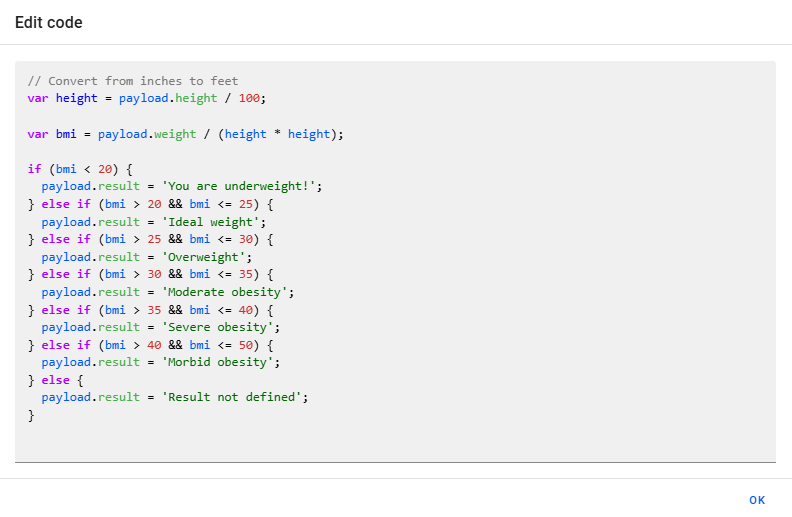 In the code above, in addition to using the data captured through the client interaction, we developed the script to save the result of the calculation in the variable `payload.result`. Since we defined the `result` attribute in the `payload` variable, this information can be used later in other messages within the same automation — as shown in the example, where we have a final message to display the BMI calculation result to the client:
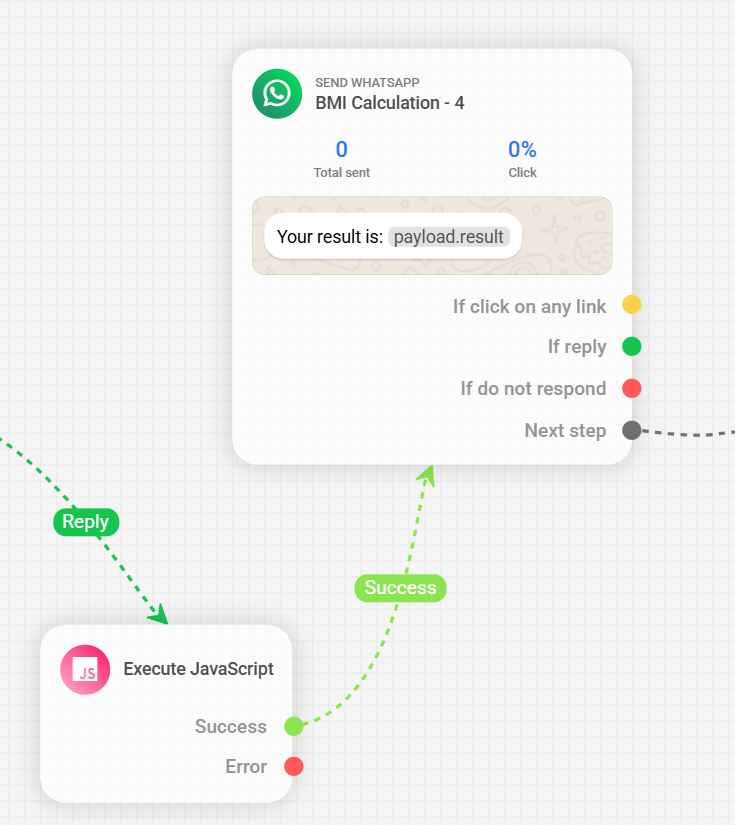
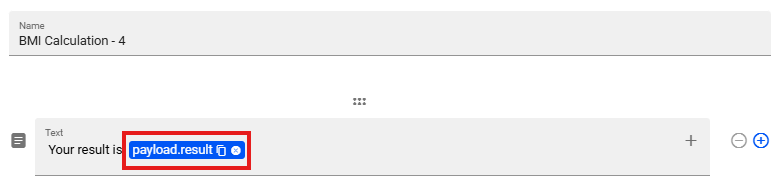 This way, it is possible to incorporate the results of complex processes using **Execute JavaScript** in client-facing messages, ensuring a personalized and dynamic response — as in the example where the final message displays the calculated BMI result.